Setting Path:
After you call out the Game Assistant/Game toolkit, you can close "Disable 3-finger screenshot" via【Touch optimization > Mistouch prevention】
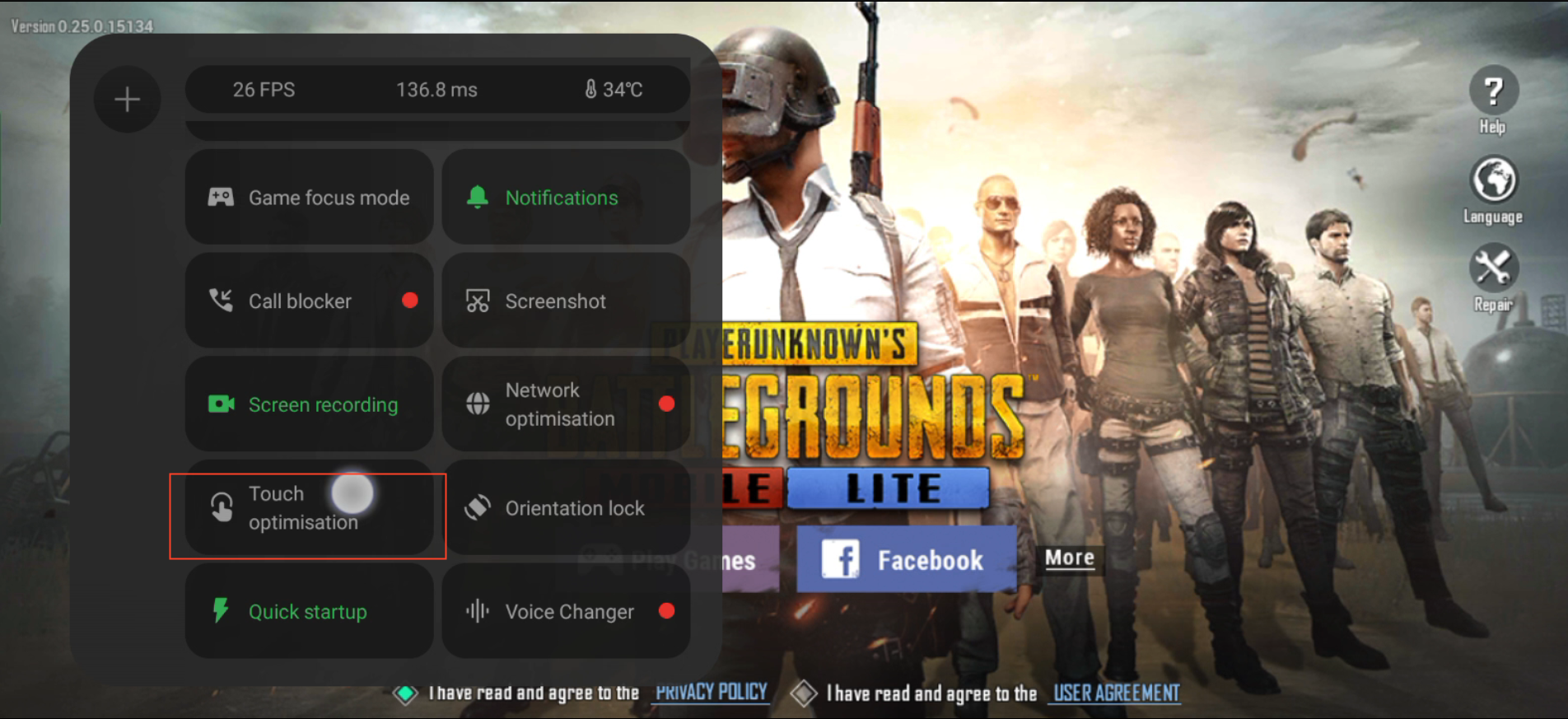
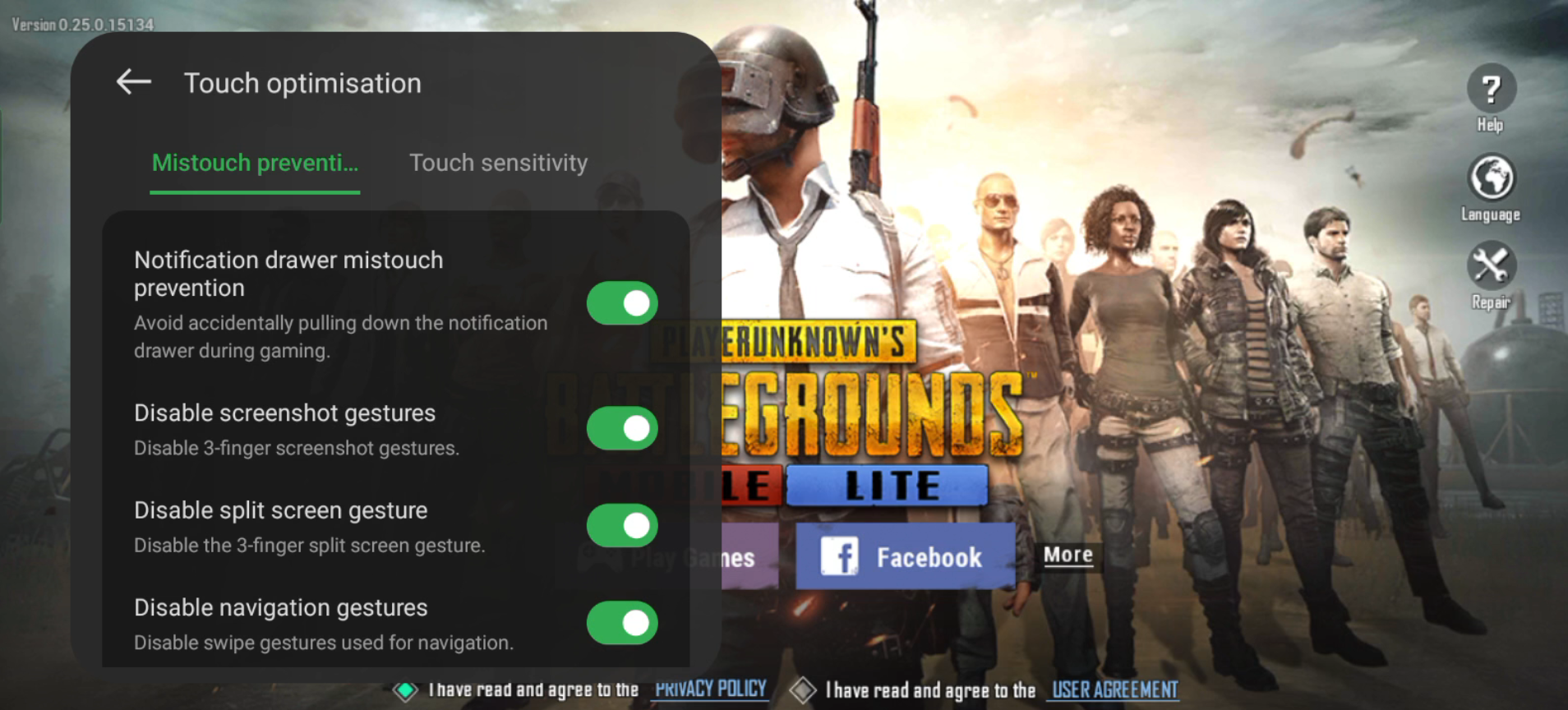
After you call out the Game Assistant/Game toolkit, you can close "Disable 3-finger screenshot" via【Touch optimization > Mistouch prevention】
Article Reference
Official Realme documented guide #2242548
Your feedback helps us improve our support content.
Explore more articles or contact our customer support team for personlized assistance.
Visit Support Hub