Google Dialer theme is a very important feature that can change to light or dark mode at any time. Below is the process to enable the Google Dialer theme.
Setting path:
To enable the option please follow the below step:
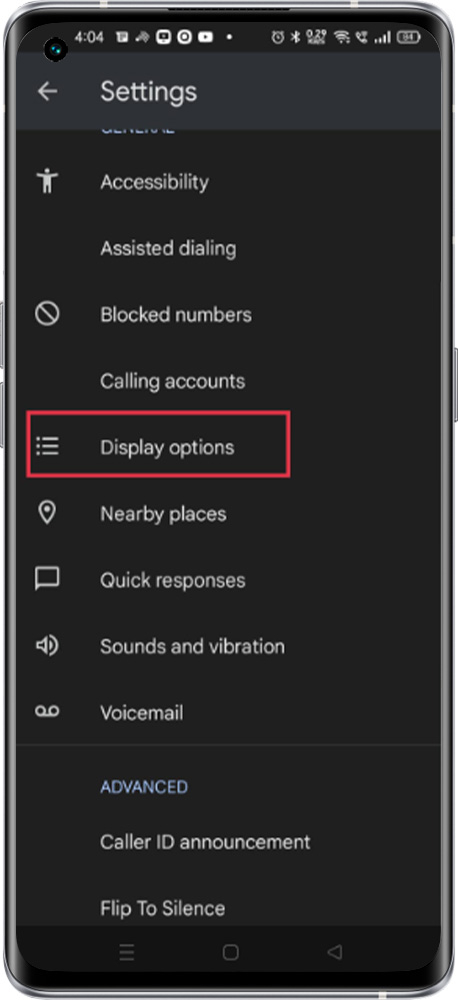
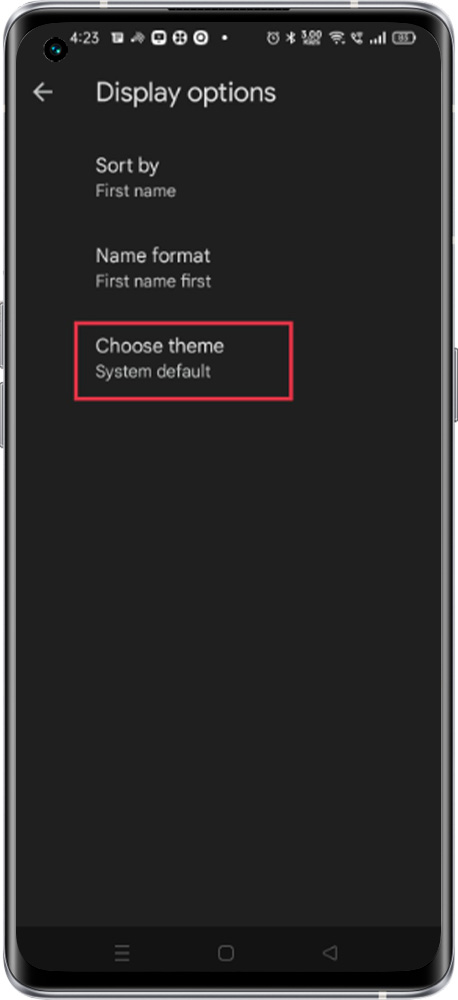
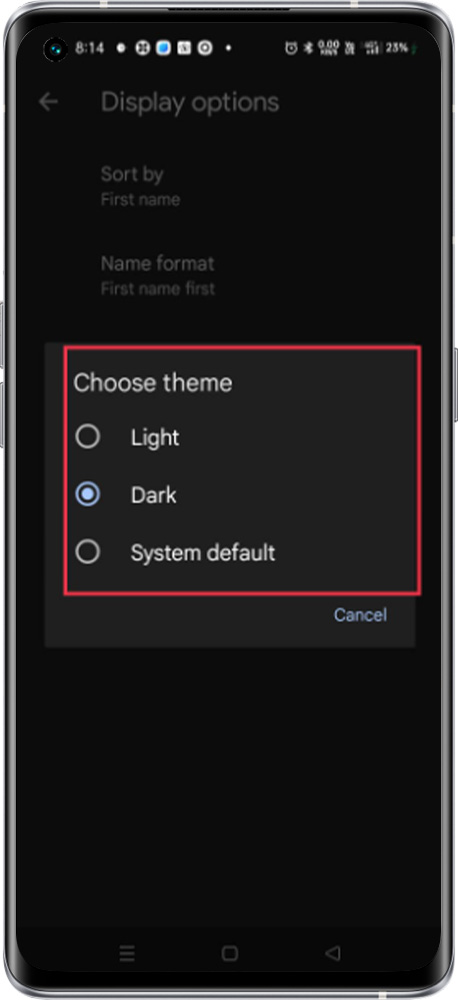
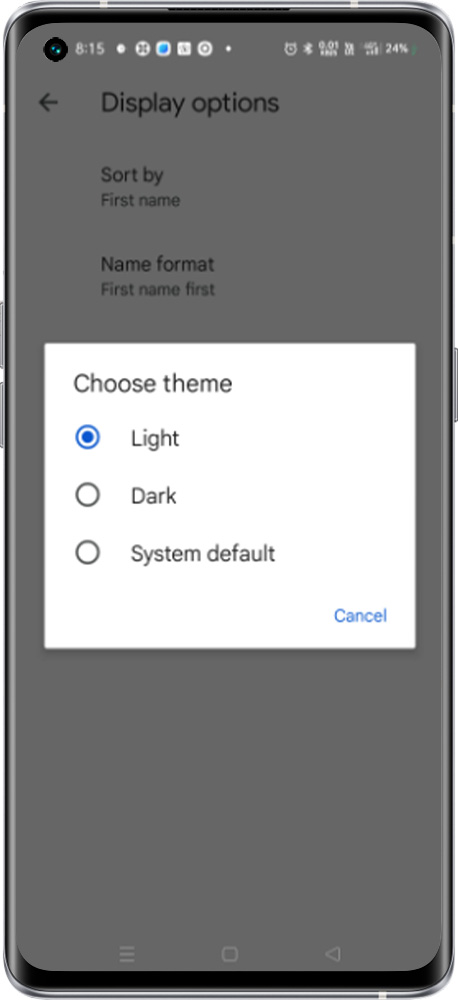
Open the Phone app > Tap More options > Setting > Display Options Choose a theme > to select the appropriate option to change the theme.
Light Mode: It refers to the dark-font text on a light background.
Dark Mode: denotes the combination of light (e.g., white) text on a dark (e.g., black) background.
System Default: Auto switch to light mode at Sunrise and Auto switch to Dark mode at the Sunset