Join the Windows Insider Program to get the latest Windows 10 builds as soon as possible.
Note:
For more information, you can check Microsoft's official introduction: https://docs.microsoft.com/en-us/windows-insider/get-started
The operation interface of different system versions is slightly different, please refer to the actual interface operation.
Steps:
1. Log in to your computer with a Microsoft account while connected to the Internet.
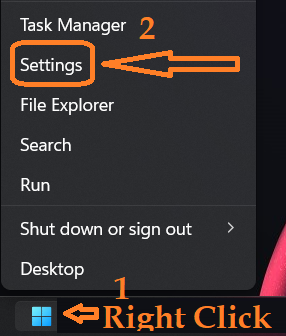
2. Right-click the Windows icon > Settings icon and select "Update & Security".
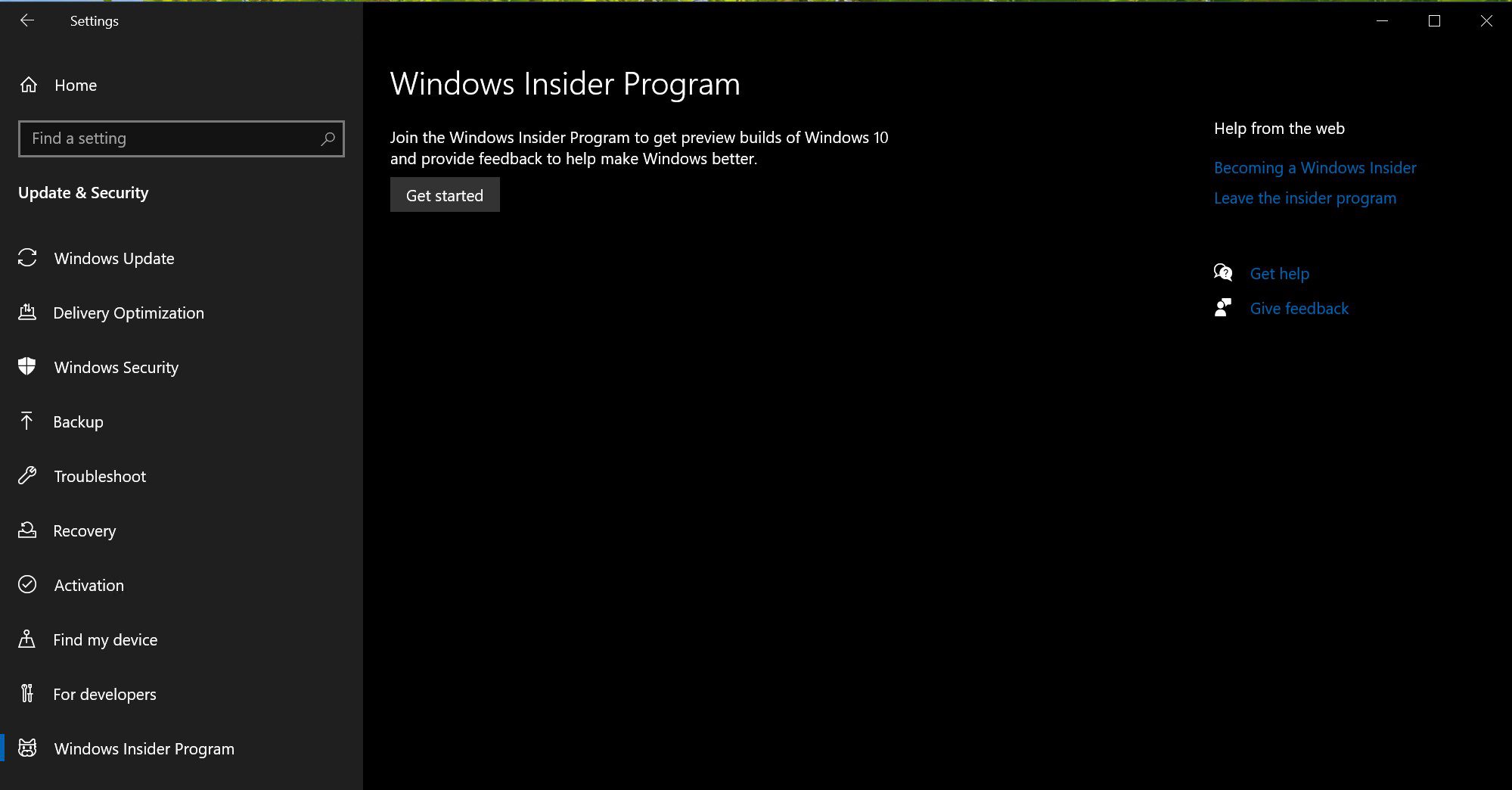
3. Click "Windows Insider Program > Start".
4. Click "Link Account", select your Microsoft account, and click "Continue".
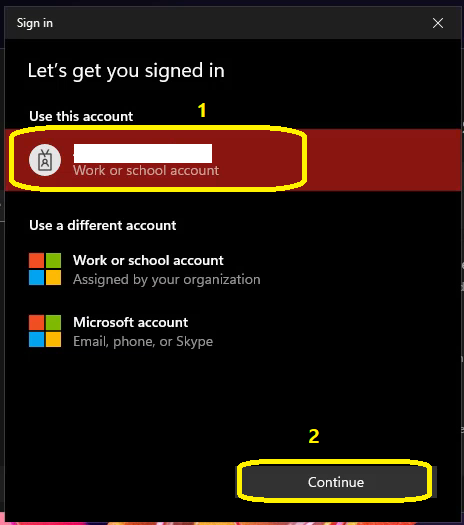
Note: If your Microsoft account is not part of the Windows Insider Program, you will be prompted to sign up for the program after you click "Start". Click "Register" and follow the prompts to sign the agreement. Finally, it will automatically jump to the interface by clicking "Link Account".


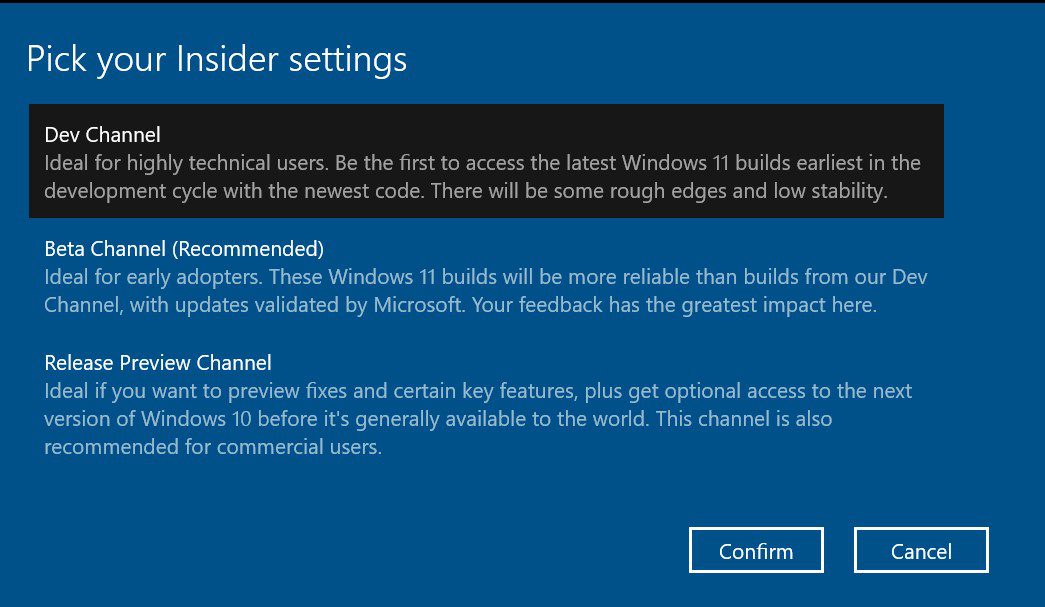
5. Select the type of content you wish to receive and click "Confirm"
6. Select how often you want to receive the preview and click "Confirm"
7. Click "OK" on the "Help us improve Windows" interface.
8. You are prompted whether to restart the computer, you can choose "Restart now" or "Restart Later". After rebooting, you can get Insider Preview builds.