1. Introduction
When the ringer is small, the user can use physical vibration to remind the user to obtain the message at the first time to prevent the user from missing important messages.
2. How to set vibration when the call rings?
Prerequisite: The mobile phone is not in Mute mode.
realme UI 1.0 & above versions: Settings > search ”Vibration on ring” in the search bar in the search bar > turn on Vibration on ring.
realme UI R & Go Edition: Settings > Sound > Vibrate for calls > Always vibrate.
realme UI T & U Edition: Settings > Sound & vibration > Vibration & haptics > Ring vibration.
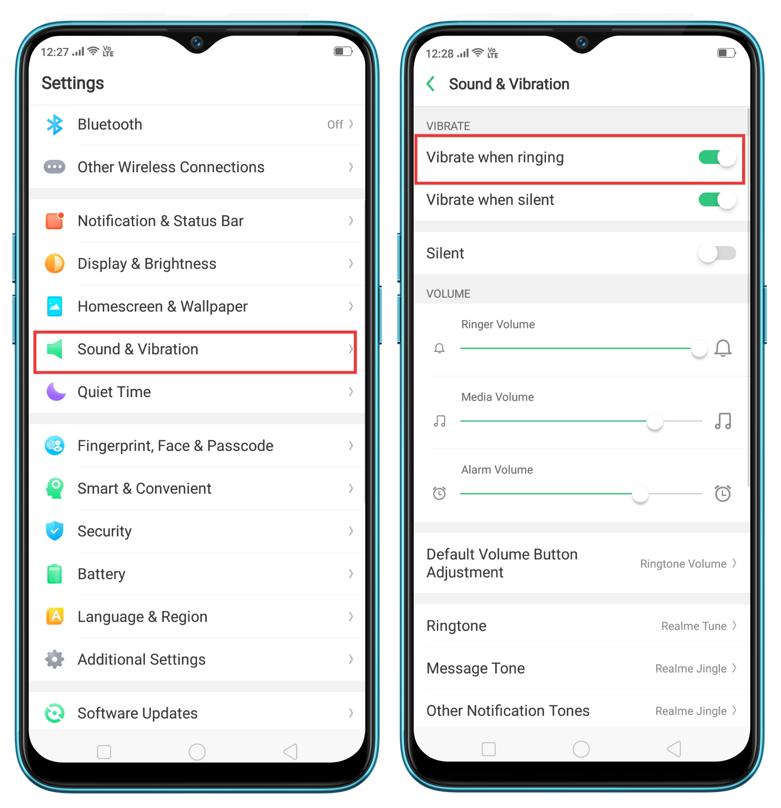
3. How to set ring with the vibration when other notification messages comes?
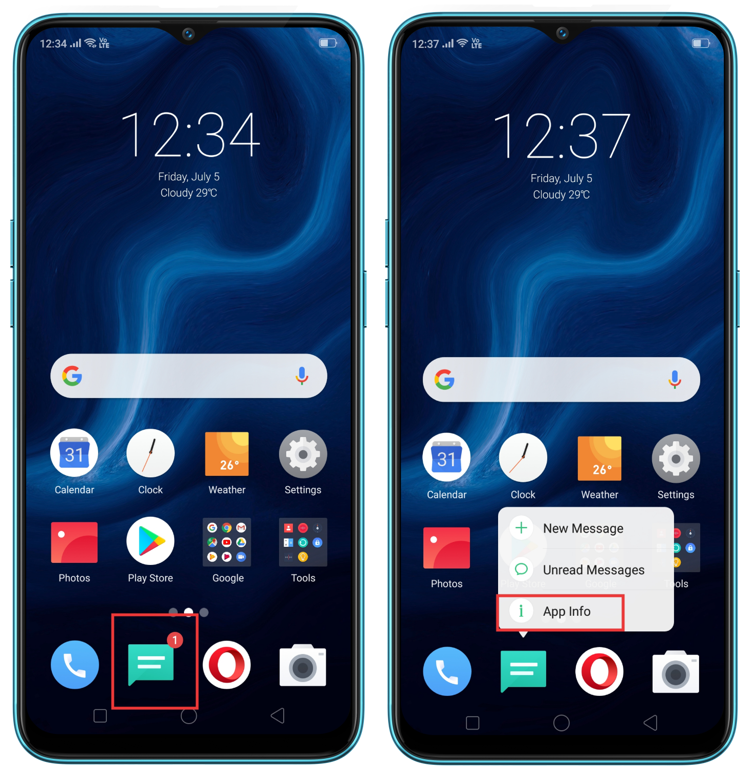
Take messages as an example:
Prerequisite: mobile phone is not in Mute mode.
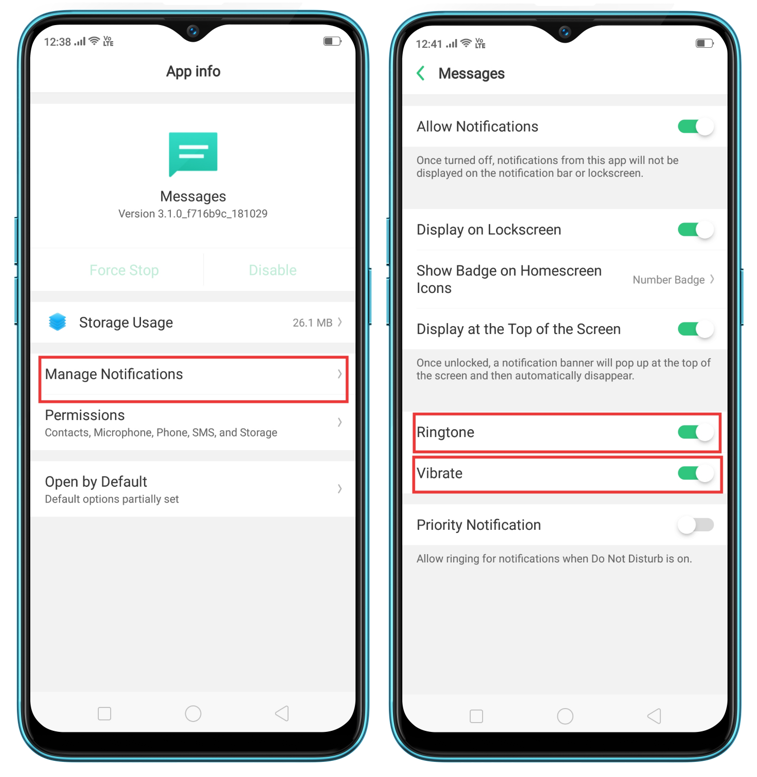
Path: Long press message app > App info > Manage Notification > Open ringtone and vibration switch same time.
4. Effect of Quiet Time mode on vibration.
The mobile phone has the Do Not Disturb function enabled. It will not vibrate when receiving calling or the message. If you need to be reminded, you can close it by following the path below.
realme UI 2.0 & above versions: Settings > Sound & vibration > Do Not Disturb
realme UI 1.0: Settings > Do Not Disturb
realme R & Go & T & S & U Edition: Settings > Apps & notifications > Notifications > Do Not Disturb
5. Carry out Diagnostics to detect whether the vibration of the phone is abnormal.
6. Restore the phone system settings and try again. Please refer to How to reset the phone
If the problem persists after the above troubleshooting, please bring your phone and purchase certificate to the nearest customer service center for further testing.
Related Articles:
How to enable Vibrate while answering the call
Phone keeps switching between vibration, ring, and silent mode