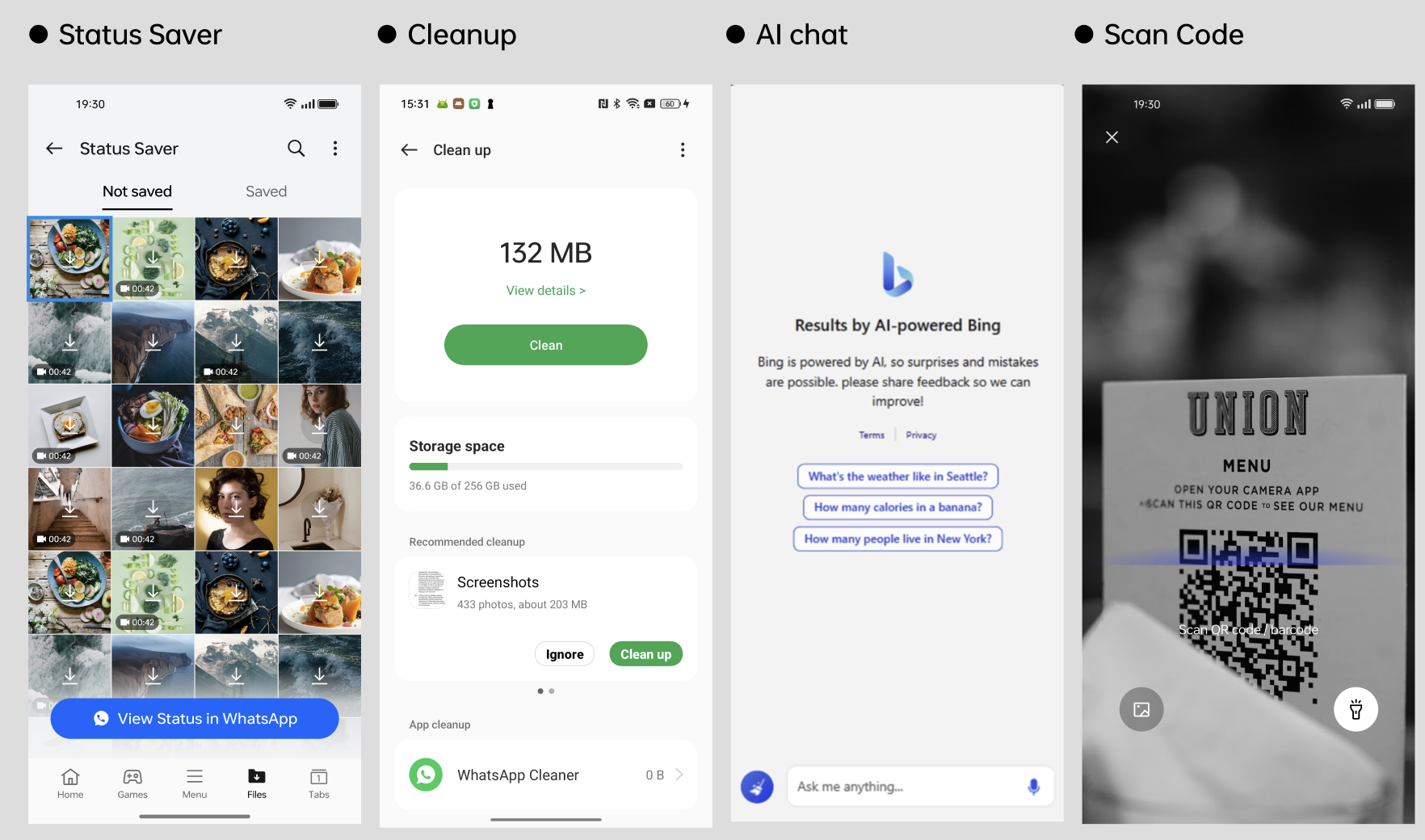
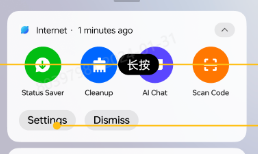
In the notification bar of the browser, there are multiple entrances, such as Cleanup, AI Chat, Status Saver, and Scan Code, which can help users quickly get the relevant functions. As shown in the following picture.
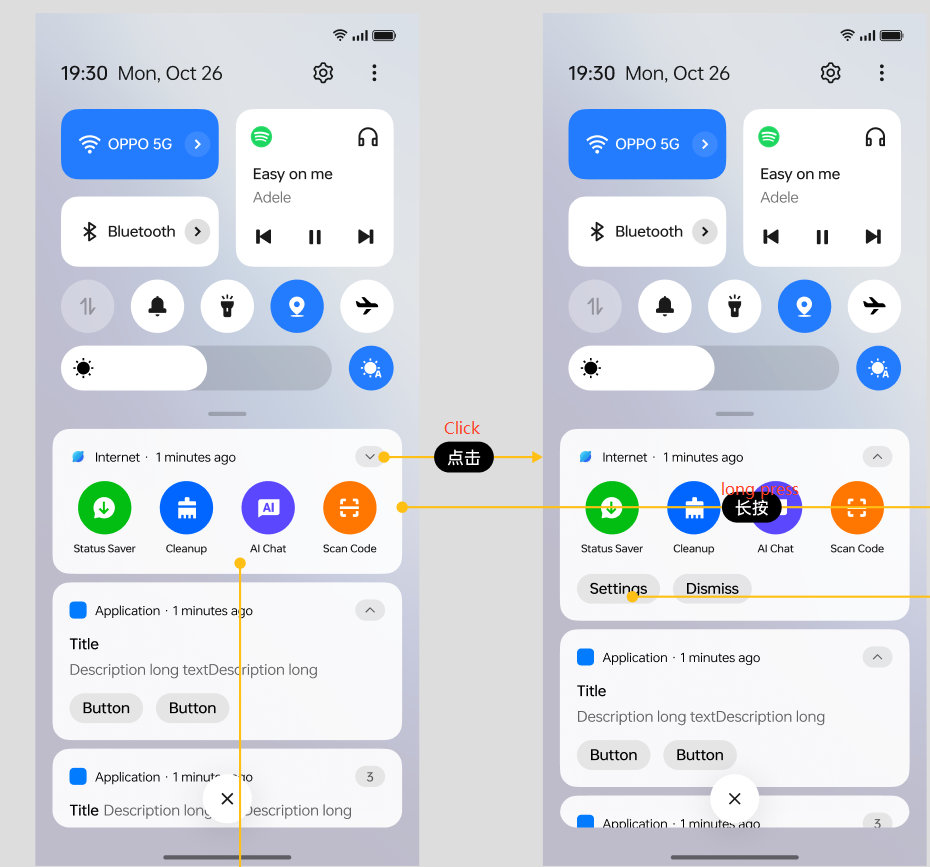
Method:
When the browser application notification is opened, the first default display of the resident notification bar;
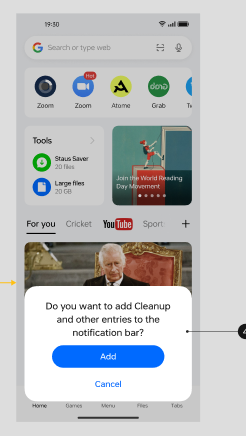
If the user clicks "Dismiss", the notification bar will disappear. 7 days after the notification bar disappears, when the user opens the browser, a prompt pops up to open the notification bar and push: Do you want to add Cleanup and other entries to the notification bar?
When you click on each button in the notification bar, link to the corresponding page of the browser; If it's installing a mobile phone manager, go to the mobile phone manager to clean the entrance. If it's not, it will go to the browser clean up function.
How to close the browser notification bar?
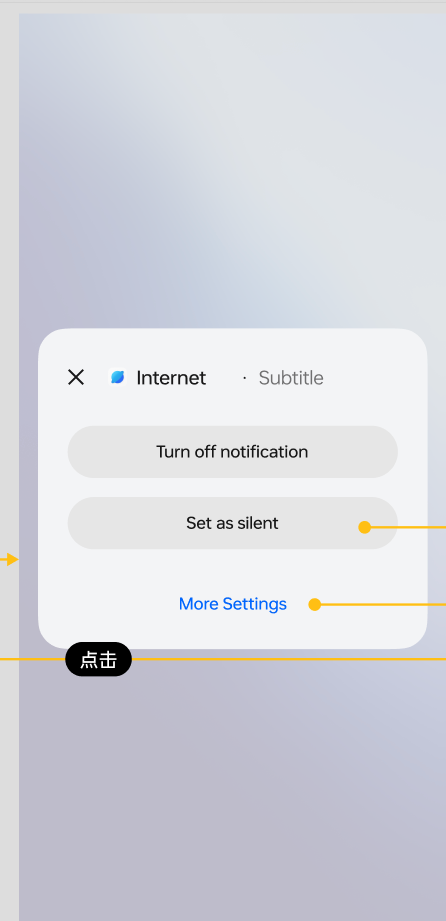
Can press settings or long press to close notification bar.
Press settings > turn off allow notifications
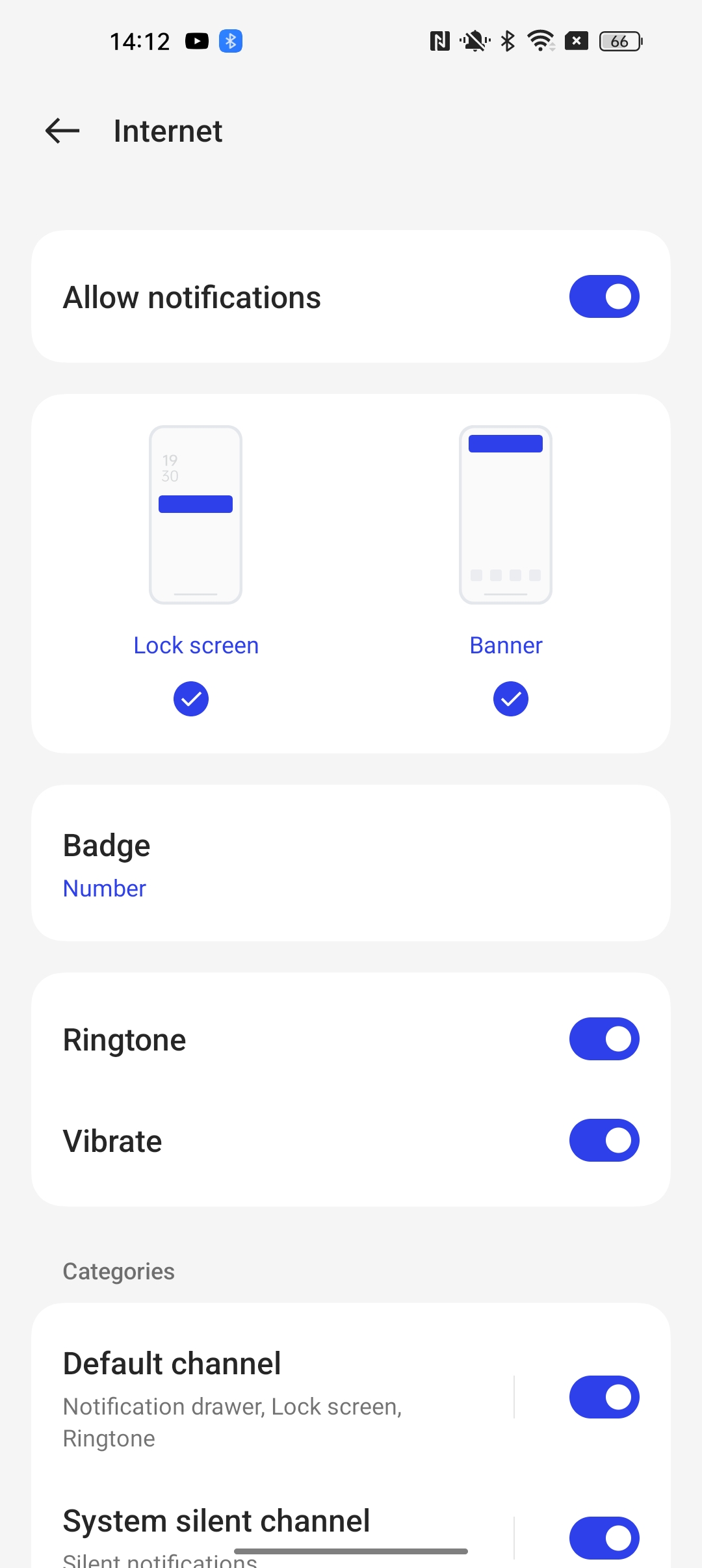
Long press notification bar > Turn off notification.