Path:
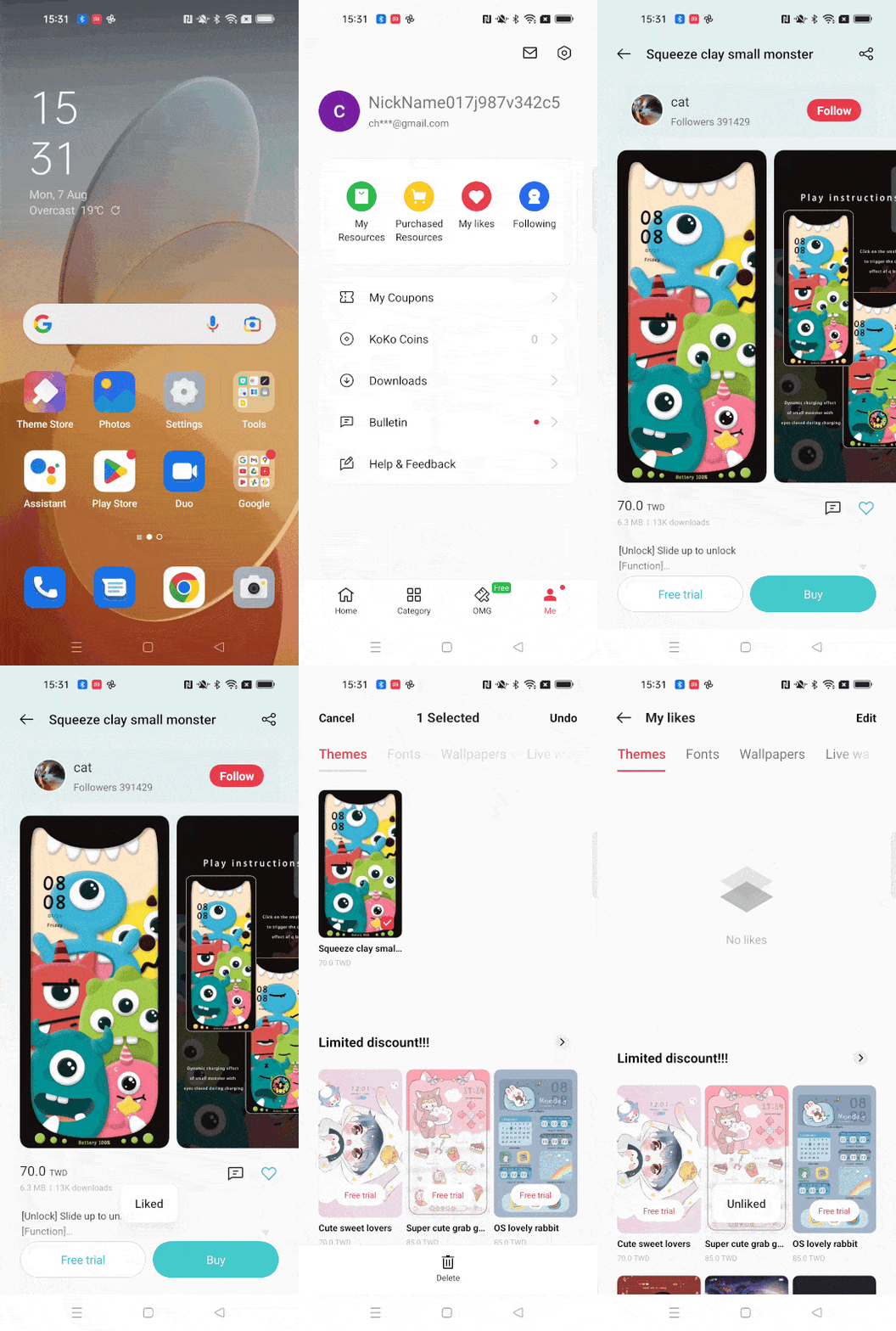
1. Open [Theme Store], tap [Me] at the bottom of the screen.
2. Tap [My likes].
3. Tap [Themes] to view all your favorite themes.
4. Click the Themes or the fonts. Select "unlikes" "click love icon", then the themes will be deleted
5. Or Tap [Edit] in the upper right corner, select the themes you want to remove and tap [Delete] at the bottom. Also, You can also remove all themes by tapping [Select all].
* HeyTap services may vary across phone models, region and UI version.
* Pictures, settings, and paths might differ from those of your phone, but these won't affect the description in this article.