Problem phenomenon:
The realme laptop has an irregular screen flickering phenomenon, and the screen is repeatedly brightened and blackened irregularly.
Problem causes:
1. It may be caused by an abnormal graphics card driver.
2. It may be caused by the compatibility between the graphics card driver and the BIOS.
3. There may be a hardware problem with the screen.
Solution:
1. Re-download and install the latest graphics card driver and system BIOS version from the realme official website https://www.realme.com/in/support/software-update
(Please pay attention to distinguish the system version for download)
2. Turn off the panel self-refresh option in the graphics card control center
a. Search for "Intel® Graphics Control Center" in the global search on the taskbar and open it.
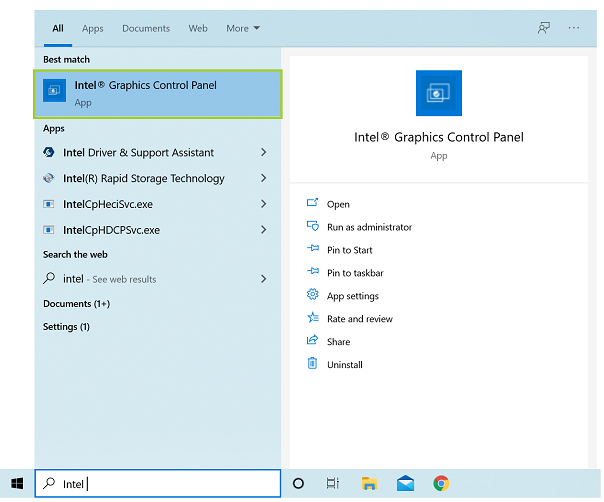
b. Click on the "System" option on the left side of the Graphics Control Center.
c. Find the "Panel Refresh" option on the "Power" page, and turn it off.
3. Reset the Windows system.
4. If the above attempts do not work, please bring your laptop to the realme Customer Service Center for testing.